Upon logging in, the first screen that you will be presented to is our dashboard. The central screen of the application consists of all the necessary information and actions in order to immediately manage your clients.
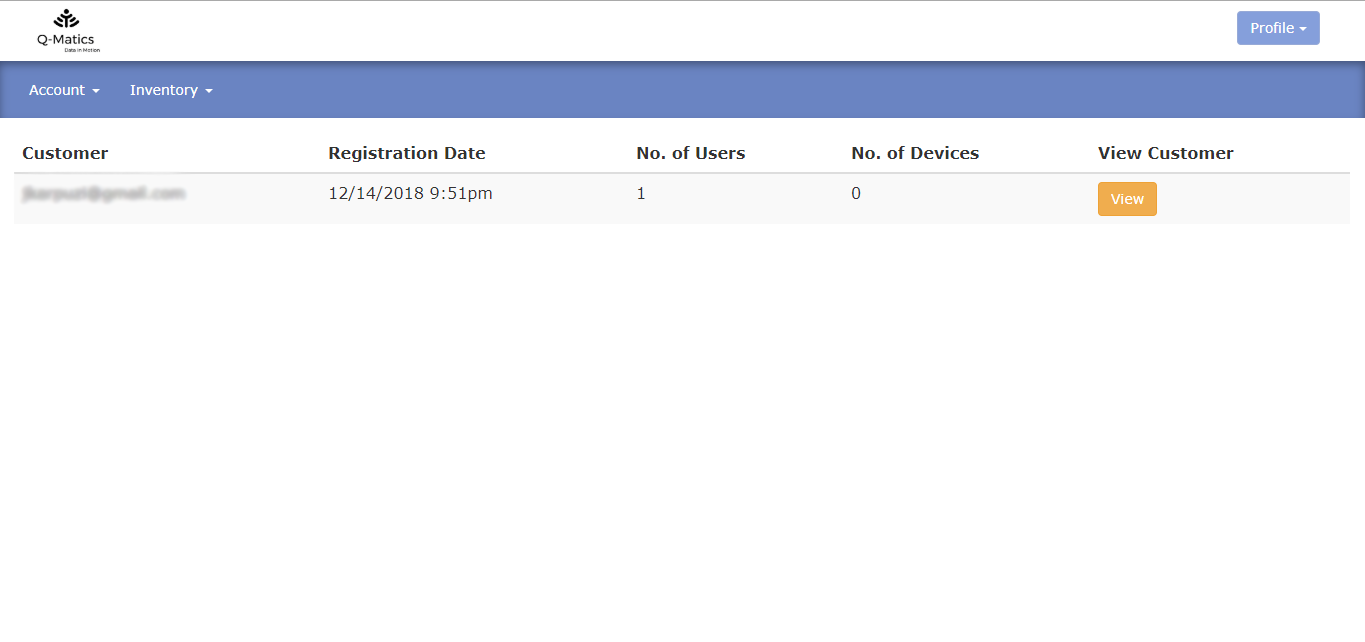
- Customer – which shows you the customer email
- Registration Date – which shows the date the customer was registered
- No. of Users – which shows you the number of users the customer has
- No. of Devices – which shows you the number of devices that have been assigned to the customer
- View Customer – which shows you the details of the customer and their organization
At the basic navigation bar, you can navigate through all the basic options of Q-Matics web application such as Account, and Inventory.
Last Update: March 20, 2020
March 20, 2020 32 jusuf Reseller Guide
Total 0 Votes:
0
0
Tell us how can we improve this post?
Log In is required for submitting new question.