
- Notifications – Here you can see notifications that are related to the behavior of the driver like Ignition On/Off, Hard Braking, Speeding, and others. You can also click on a specific notification, this will redirect you to the map where that event has occurred.
You can control/change your notifications and for which device you’re being notified by clicking on your name on the top right corner and from the options choose Notification Settings.
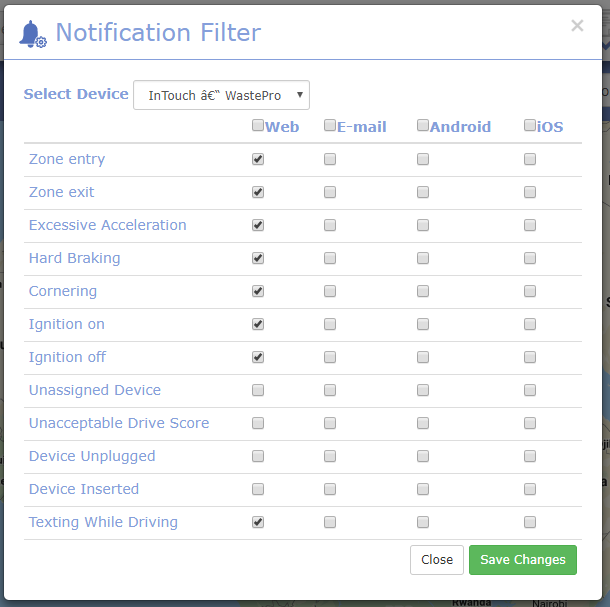
Simply just tick or un-tick any of the available options and then click on Save Changes on the bottom right corner.
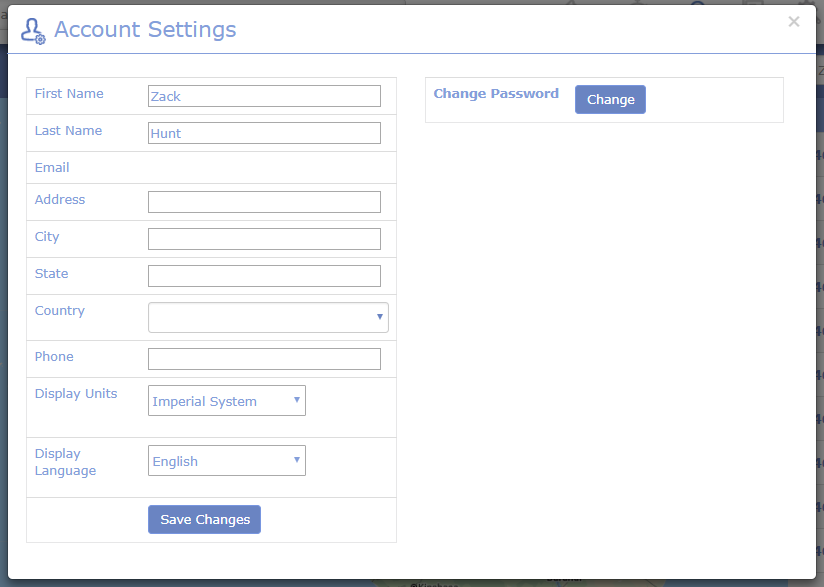
- Account Settings – In case you want to check or edit any details about your account, then you can do that by clicking on your name on the top right corner and choose My Account.
- Device Sharing – Should you want to share a specific device(s) for a certain client who is waiting for a delivery you can do that with the Device Sharing feature which is located on the drop-down options when you click on your name.
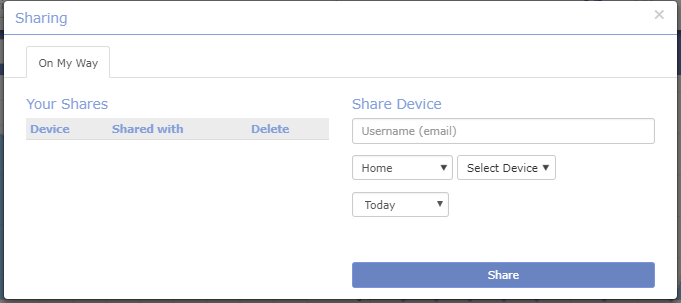
Enter the email of your client, choose which division, driver, and what day and simply click share.
Last Update: March 20, 2020
March 17, 2020 45 jusuf User Guide
Total 0 Votes:
0
0
Tell us how can we improve this post?
Log In is required for submitting new question.